A Terraform pipeline should do more than run plan and apply. Production infrastructure needs controlled auth, one writer at a time, plans people can review, approval gates, post-deploy checks, and a clear recovery plan.
I built that workflow with GitHub Actions and Azure. It uses OpenID Connect (OIDC) instead of a stored Azure client secret. It pins third-party actions to reviewed commits and applies a saved Terraform plan. I also kept a clear line between what the pipeline can prove and what the app architecture has to prove on its own.
Note: I ran my test in September 2026. It uses a local
terraform_dataresource to test Terraform plan/apply mechanics and Azure OIDC authentication. It does not deploy a real Azure app or show zero-downtime behavior.
1. Controls first, pipeline second
I think of a guarded infrastructure release as five stages:
Pull request
  Format → Validate → Test → Plan

Security
  OIDC → Least privilege → Policy checks → Pinned actions

Production gate
  Protected environment → Required reviewer → Concurrency

Change
  Saved plan → Rolling-compatible architecture → Health probes

Proof
  Synthetic check → Metrics → Logs → Rollback decision
The pipeline controls how infrastructure gets delivered. Staying up during a real change also depends on the service design. That means load balancing, readiness, capacity, database compatibility, rolling behavior, and only sending traffic to healthy instances.
2. The identity chain
Azure auth goes through four separate steps:
GitHub Actions job
      │
      ▼
GitHub OIDC token
      │
      ▼
Microsoft Entra federated credential
      │
      ▼
Short-lived Azure access token
      │
      ▼
Azure RBAC authorization
The workflow needs this permission to request the GitHub OIDC token:
permissions:
  contents: read
  id-token: write
id-token: write doesn’t grant any Azure access by itself. Azure still checks the federated credential and the service principal’s role assignments.
Lock the identity to the right repo, branch, or GitHub environment. Scope its RBAC to only the Azure resources the Terraform root module manages.
3. App availability is a separate problem
A pipeline can’t create zero downtime on its own.
The workload has to already support controlled replacement.
For Azure Virtual Machine Scale Sets, that means rolling upgrades, enough healthy capacity, and load balancer probes that pull bad instances before they get traffic.
For App Service, deployment slots give a safer way to promote.
For AKS, the app needs readiness probes, rolling deployments, and disruption controls so pods that aren’t ready don’t serve traffic.
Database changes need the same care. A common safe pattern is expand and contract:
1. Add a backward-compatible schema change.
2. Deploy application code that can use the new schema.
3. Move all callers to the new behavior.
4. Remove the old schema only after compatibility is no longer required.
Terraform can’t make an incompatible schema change safe just by reordering resources.
4. Stopping overlapping production applies
I used a GitHub Actions concurrency group:
concurrency:
  group: terraform-production
  cancel-in-progress: false
cancel-in-progress: false is on purpose. Killing the runner doesn’t mean an Azure operation that already started will stop too.
The safer order is:
Current apply starts
      │
New commit arrives
      │
New workflow waits
      │
Current apply finishes
      │
Next plan runs against the resulting state
GitHub concurrency controls when workflows run. It does not replace Terraform backend locking. You still need remote state locking to guard against writers outside the GitHub workflow.
5. A guarded production workflow
Here’s my production workflow skeleton:
name: terraform-production

on:
  push:
    branches: [main]
    paths: ['infrastructure/production/**']
  workflow_dispatch:

permissions:
  contents: read
  id-token: write

concurrency:
  group: terraform-production
  cancel-in-progress: false

env:
  TF_IN_AUTOMATION: 'true'
  TF_INPUT: 'false'
  TF_WORKING_DIR: infrastructure/production

jobs:
  deploy:
    runs-on: ubuntu-latest
    environment: production
    defaults:
      run:
        working-directory: ${{ env.TF_WORKING_DIR }}

    steps:
      - uses: actions/checkout@3d3c42e5aac5ba805825da76410c181273ba90b1 # v7.0.1

      - uses: hashicorp/setup-terraform@dfe3c3f87815947d99a8997f908cb6525fc44e9e # v4.0.1
        with:
          terraform_wrapper: false

      - uses: azure/login@f5d393ae46f8fde4be8b75f32e3fc50e654ad0ca # v3.0.1
        with:
          client-id: ${{ vars.AZURE_CLIENT_ID }}
          tenant-id: ${{ vars.AZURE_TENANT_ID }}
          subscription-id: ${{ vars.AZURE_SUBSCRIPTION_ID }}

      - run: terraform fmt -check -recursive
      - run: terraform init
      - run: terraform validate
      - run: terraform test
      - run: terraform plan -out=tfplan
      - run: terraform apply -auto-approve tfplan
      - run: ./scripts/verify-production.sh
The key controls:
- Actions are pinned to immutable commit SHAs
- OIDC values come from a GitHub environment, not long-lived client secret storage
- The
productionenvironment can add deployment protection - Formatting, init, validation, tests, planning, and apply all run in one controlled path
- The saved
tfplanis exactly what gets applied - A verification script runs after deployment
The skeleton expects the repo to supply the real Terraform root module, Terraform tests, and scripts/verify-production.sh.
6. Treat plans as sensitive
A good plan review makes the important changes easy to spot.
At minimum, look at:
add / change / destroy counts
resource replacements
resource deletions
identity changes
firewall and route changes
encryption changes
backend or state changes
provider upgrades
module upgrades
commit SHA
Terraform root path
backend key
target subscription
Don’t paste a full unredacted JSON plan into a public pull request. Plans can hold values that shouldn’t be widely seen.
If plan and apply run in separate jobs, treat the saved plan as a sensitive artifact. Limit who can create it. Restrict access and retention. Tie it to the right commit and Terraform root.
7. Only use lifecycle controls where they fit
For replaceable resources, Terraform can create the new one before destroying the old one:
lifecycle {
  create_before_destroy = true
}
That only helps when both versions can exist at the same time.
Before counting on it, check:
resource-name uniqueness
subscription and regional quotas
IP and attachment constraints
load-balancer membership
data migration requirements
traffic cutover behavior
Creating the replacement first doesn’t make a rollout safe if the platform can’t run both versions at once.
8. Checking the deployment after apply
A successful terraform apply means the provider operations finished. It doesn’t mean the service works.
A simple synthetic check:
curl --fail --retry 5 --retry-delay 10 https://example.com/healthz
Production checks should also look at:
load-balancer backend health
error rate
latency
resource saturation
instance readiness
startup failures
authorization failures
application logs
a real user journey when appropriate
Set an observation window. Decide who calls the release healthy enough to keep.
9. Rollback depends on the service
Terraform has no universal rollback command.
Reverting the config and running Terraform again makes a new plan against whatever exists right now.
A real rollback plan should answer:
How does traffic return to the last healthy release?
Does the old compute generation still exist?
Are database changes backward compatible?
Which Git commit represents the intended infrastructure?
Which cloud-side operations already completed?
Don’t restore an old state file just to make Terraform think things rolled back. Restoring state changes Terraform’s record of the world. It doesn’t undo cloud operations that already happened.
10. Security checklist
Before using a workflow like this in production, check these:
- OIDC replaces reusable Azure client secrets.
- Production uses a properly protected GitHub environment.
- Third-party actions are pinned to reviewed commit SHAs.
- Workflow concurrency and backend locking prevent competing writers.
- The plan being applied is the plan that was reviewed.
- Plans and logs are handled as potentially sensitive material.
- The workload supports rolling-safe changes.
- Health checks reflect real user-facing behavior.
- Rollback and stop conditions are documented.
11. My test run
I built a throwaway setup to prove the workflow mechanics.
I ran it on September 3, 2026 in a private repo named:
dcepeda31415/terraform-evidence-lab
My local tool versions were:
Git          2.54.0
GitHub CLI   2.93.0
Azure CLI    2.87.0
Terraform    1.15.8
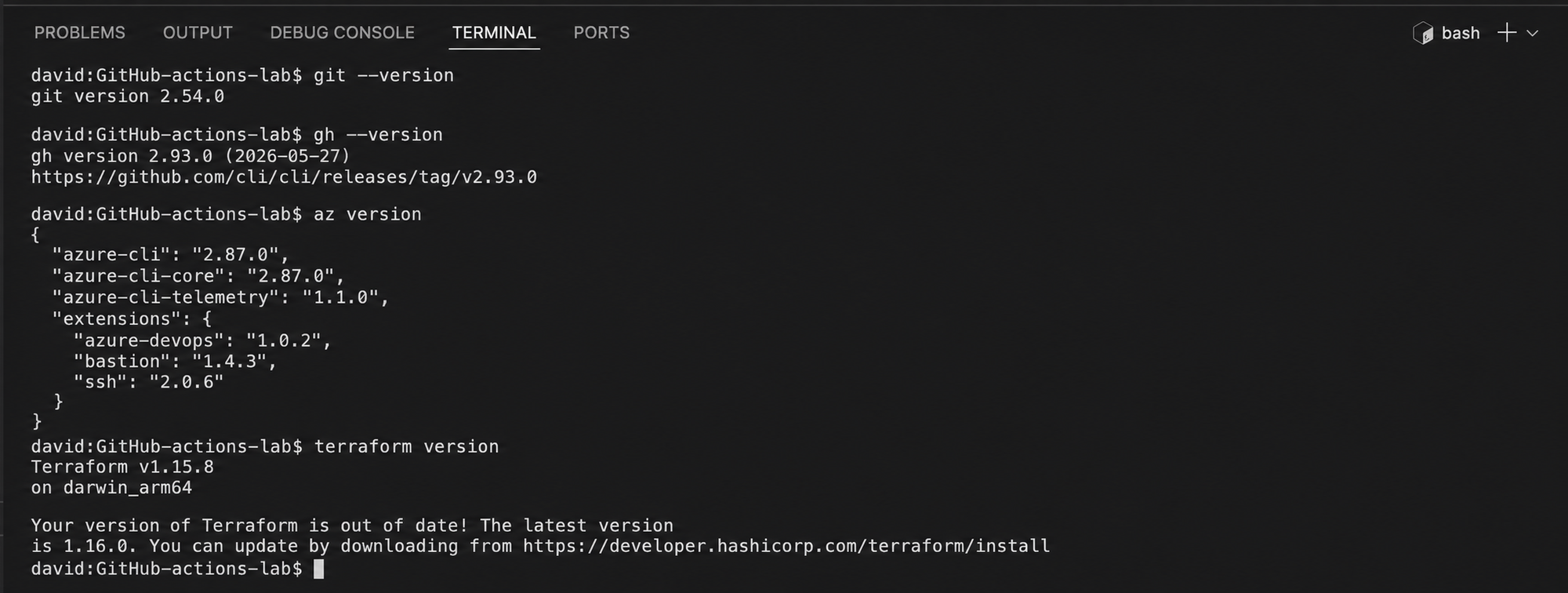
Tool versions recorded before starting the Terraform evidence run
These are just the versions I used. They aren’t recommendations.
Creating an evidence folder
I made a dedicated folder for evidence:
export TF_EVIDENCE_ROOT="${PWD}/.evidence/terraform-campaign"
export TF_EVIDENCE_SLUG="zero-downtime-terraform-github-actions-pipeline"
export TF_EVIDENCE_DIR="$TF_EVIDENCE_ROOT/$TF_EVIDENCE_SLUG"
mkdir -p "$TF_EVIDENCE_DIR/proof"
cd "$TF_EVIDENCE_DIR"
date -u +"%Y-%m-%dT%H:%M:%SZ" | tee proof/run-started-utc.txt
terraform version | tee proof/terraform-version.txt
Creating the throwaway repo
I created and cloned the private GitHub repo:
gh repo create terraform-evidence-lab --private --clone
cd terraform-evidence-lab
The test config only uses Terraform’s built-in terraform_data resource on purpose:
terraform {
  required_version = ">= 1.10.0"
}

resource "terraform_data" "release" {
  input = "evidence"
}

output "release" {
  value = terraform_data.release.output
}
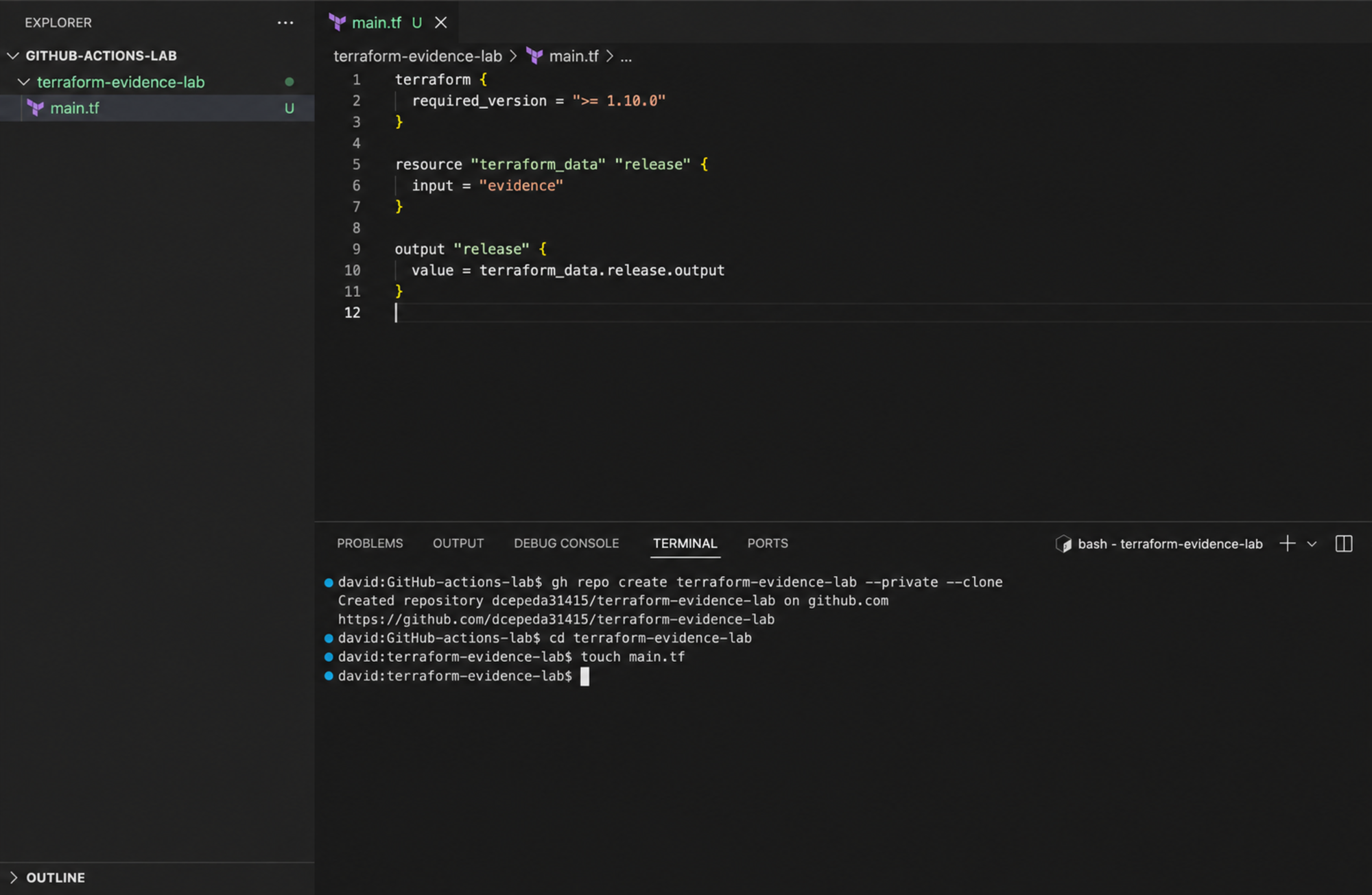
Disposable Terraform evidence repository and terraform_data configuration
Before adding GitHub Actions, I validated it locally:
terraform init
terraform validate
terraform plan
The local plan showed:
1 to add
0 to change
0 to destroy
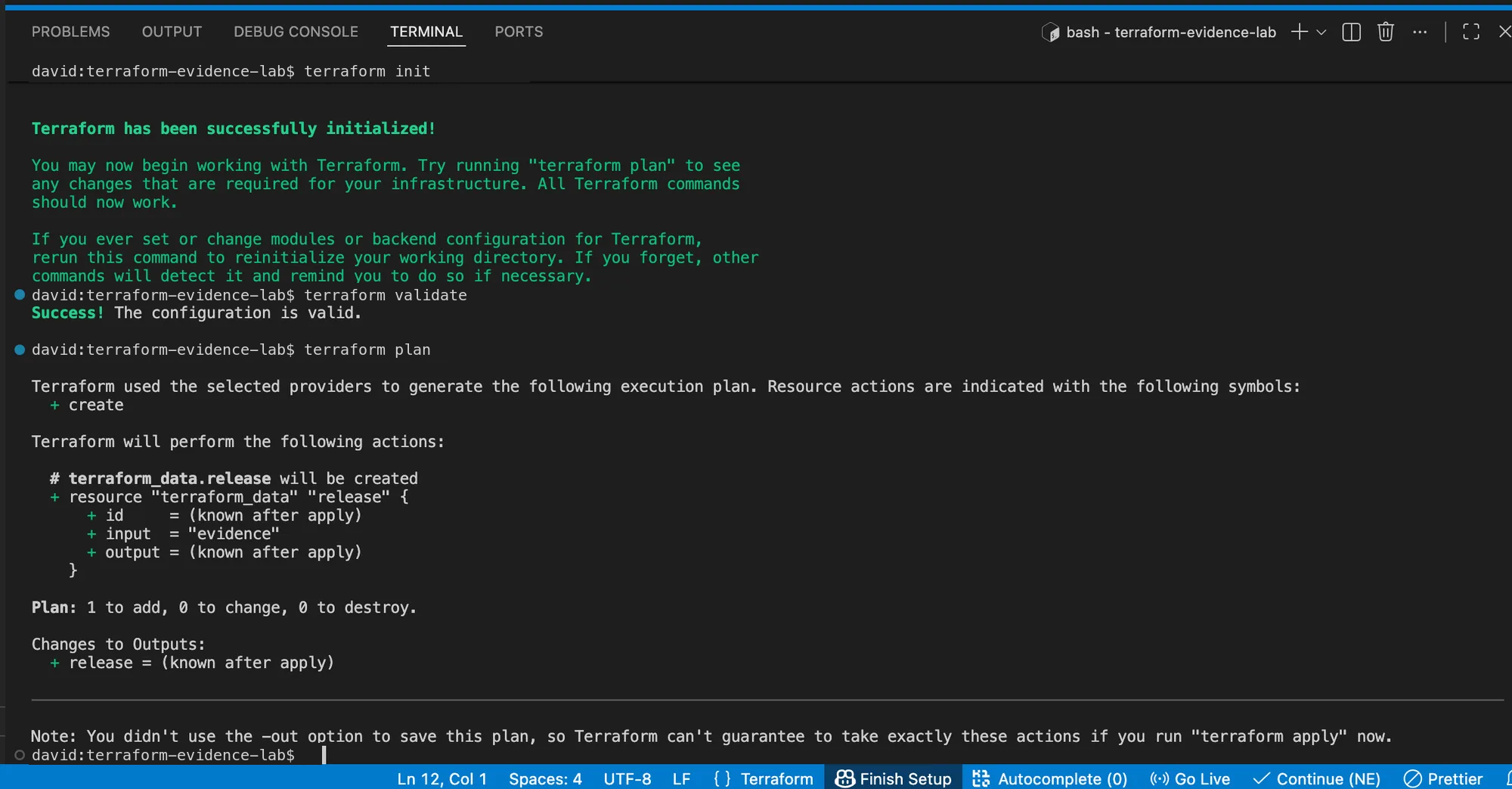
Local Terraform initialization, validation, and one-resource plan
The local plan was just a quick check. The workflow is what creates the saved tfplan file and later applies it.
12. Setting up a throwaway Azure identity
I created a dedicated Entra app, service principal, and Azure resource group.
export TF_GITHUB_APP_NAME="github-terraform-evidence"
export TF_GITHUB_REPO="dcepeda31415/terraform-evidence-lab"
export TF_GITHUB_ENVIRONMENT="production-evidence"

export TF_GITHUB_APP_ID="$(az ad app create   --display-name "$TF_GITHUB_APP_NAME"   --query appId -o tsv)"

export TF_GITHUB_APP_OBJECT_ID="$(az ad app show   --id "$TF_GITHUB_APP_ID"   --query id -o tsv)"

az ad sp create --id "$TF_GITHUB_APP_ID"

export TF_GITHUB_SP_OBJECT_ID="$(az ad sp show   --id "$TF_GITHUB_APP_ID"   --query id -o tsv)"

export TF_GITHUB_TENANT_ID="$(az account show --query tenantId -o tsv)"
export TF_GITHUB_SUBSCRIPTION_ID="$(az account show --query id -o tsv)"

az group create   --name rg-github-terraform-evidence   --location uksouth

export TF_GITHUB_SCOPE="$(az group show   --name rg-github-terraform-evidence   --query id -o tsv)"

az role assignment create   --assignee-object-id "$TF_GITHUB_SP_OBJECT_ID"   --assignee-principal-type ServicePrincipal   --role Reader   --scope "$TF_GITHUB_SCOPE"
Reader is enough here because the Terraform config doesn’t create any Azure resources. Azure access is only there to prove the OIDC login works.
I created credential.json:
{
  "name": "github-production-evidence",
  "issuer": "https://token.actions.githubusercontent.com",
  "subject": "repo:dcepeda31415/terraform-evidence-lab:environment:production-evidence",
  "description": "Disposable Terraform evidence lab",
  "audiences": ["api://AzureADTokenExchange"]
}
Then registered the federated credential:
az ad app federated-credential create --id "$TF_GITHUB_APP_OBJECT_ID" --parameters credential.json
The file holds trust metadata, not a client secret. In a reusable repo, keep it local and out of Git.
13. Storing Azure IDs in the GitHub environment
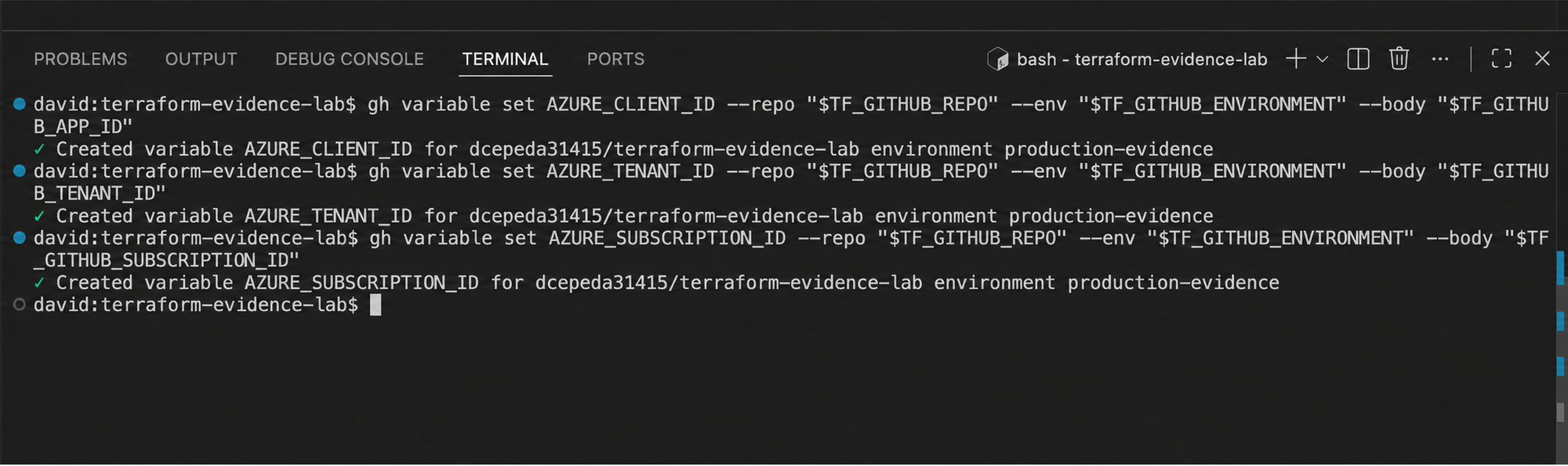
I created the production-evidence GitHub environment and added these as environment variables:
gh variable set AZURE_CLIENT_ID   --repo "$TF_GITHUB_REPO"   --env "$TF_GITHUB_ENVIRONMENT"   --body "$TF_GITHUB_APP_ID"

gh variable set AZURE_TENANT_ID   --repo "$TF_GITHUB_REPO"   --env "$TF_GITHUB_ENVIRONMENT"   --body "$TF_GITHUB_TENANT_ID"

gh variable set AZURE_SUBSCRIPTION_ID   --repo "$TF_GITHUB_REPO"   --env "$TF_GITHUB_ENVIRONMENT"   --body "$TF_GITHUB_SUBSCRIPTION_ID"
GitHub environment variables configured for Azure OIDC
I stored these IDs without printing their values.
I also confirmed the environment had no Azure client secret.
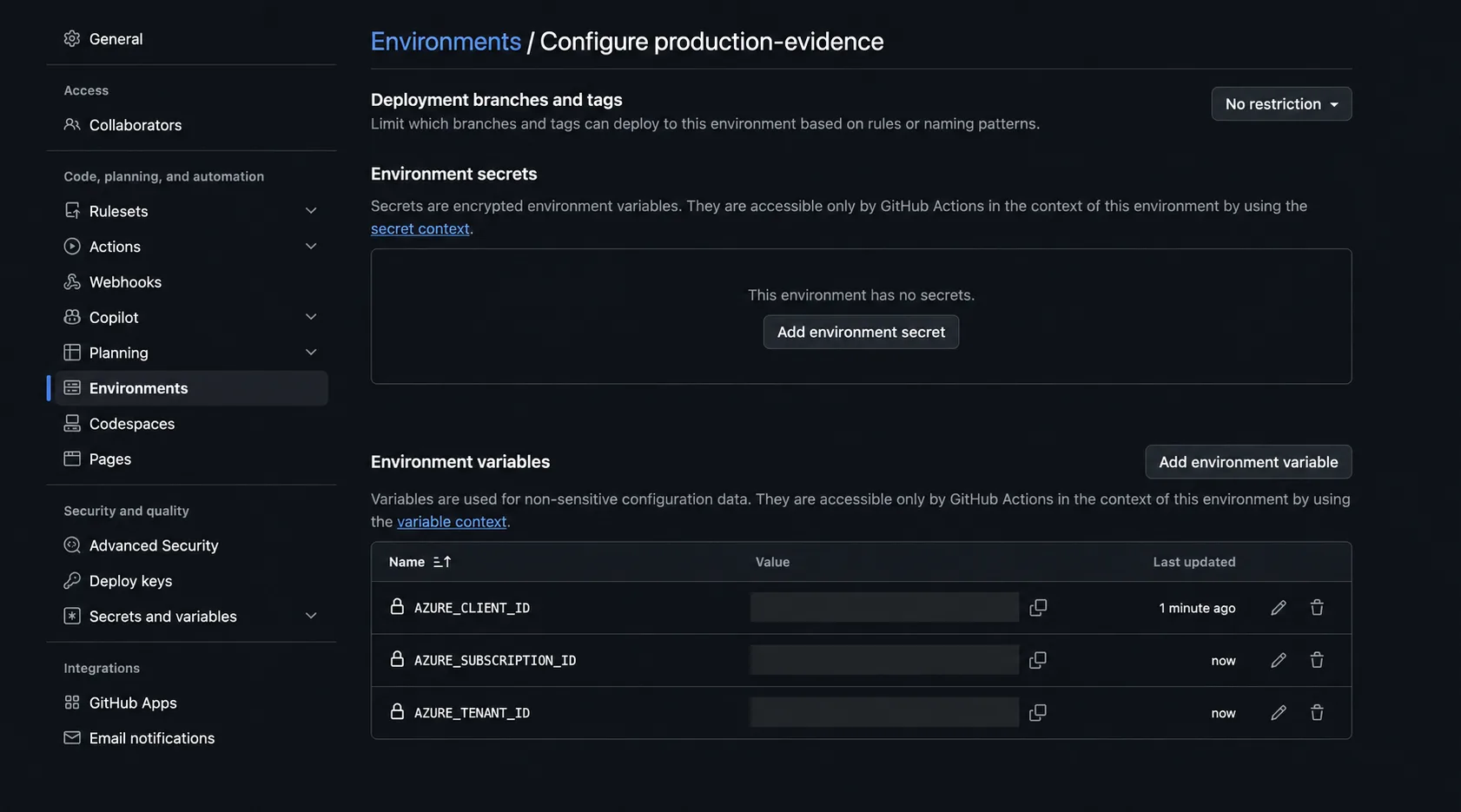
GitHub environment showing no stored Azure client secret
14. Running the saved-plan workflow
I created:
.github/workflows/terraform-evidence.yml
with this workflow:
name: Terraform evidence

on:
  workflow_dispatch:

permissions: {}

concurrency:
  group: terraform-production-evidence
  cancel-in-progress: false

jobs:
  plan:
    runs-on: ubuntu-latest
    permissions:
      contents: read
    steps:
      - uses: actions/checkout@3d3c42e5aac5ba805825da76410c181273ba90b1 # v7.0.1
      - uses: hashicorp/setup-terraform@dfe3c3f87815947d99a8997f908cb6525fc44e9e # v4.0.1
      - run: terraform fmt -check
      - run: terraform init -backend=false -input=false
      - run: terraform validate
      - run: terraform plan -out=tfplan -input=false
      - uses: actions/upload-artifact@043fb46d1a93c77aae656e7c1c64a875d1fc6a0a # v7.0.1
        with:
          name: tfplan
          path: tfplan
          if-no-files-found: error

  apply:
    needs: plan
    runs-on: ubuntu-latest
    environment: production-evidence
    permissions:
      contents: read
      id-token: write
    steps:
      - uses: actions/checkout@3d3c42e5aac5ba805825da76410c181273ba90b1 # v7.0.1
      - uses: azure/login@f5d393ae46f8fde4be8b75f32e3fc50e654ad0ca # v3.0.1
        with:
          client-id: ${{ vars.AZURE_CLIENT_ID }}
          tenant-id: ${{ vars.AZURE_TENANT_ID }}
          subscription-id: ${{ vars.AZURE_SUBSCRIPTION_ID }}
      - uses: hashicorp/setup-terraform@dfe3c3f87815947d99a8997f908cb6525fc44e9e # v4.0.1
      - uses: actions/download-artifact@3e5f45b2cfb9172054b4087a40e8e0b5a5461e7c # v8.0.1
        with:
          name: tfplan
      - run: az account show --query "{name:name,isDefault:isDefault}" --output table
      - run: terraform init -backend=false -input=false
      - run: terraform apply -input=false tfplan
      - run: test "$(terraform output -raw release)" = "evidence"
The workflow keeps plan and apply separate on purpose.
The plan job:
formats
initializes without a backend
validates
creates tfplan
uploads tfplan
The apply job:
waits for plan
enters the GitHub environment
requests OIDC permission
authenticates to Azure
downloads tfplan
applies that exact saved plan
checks the Terraform output
My first push failed with:
src refspec main does not match any
because my local branch was still named master.
The fix:
git branch -M main
git push --set-upstream origin main
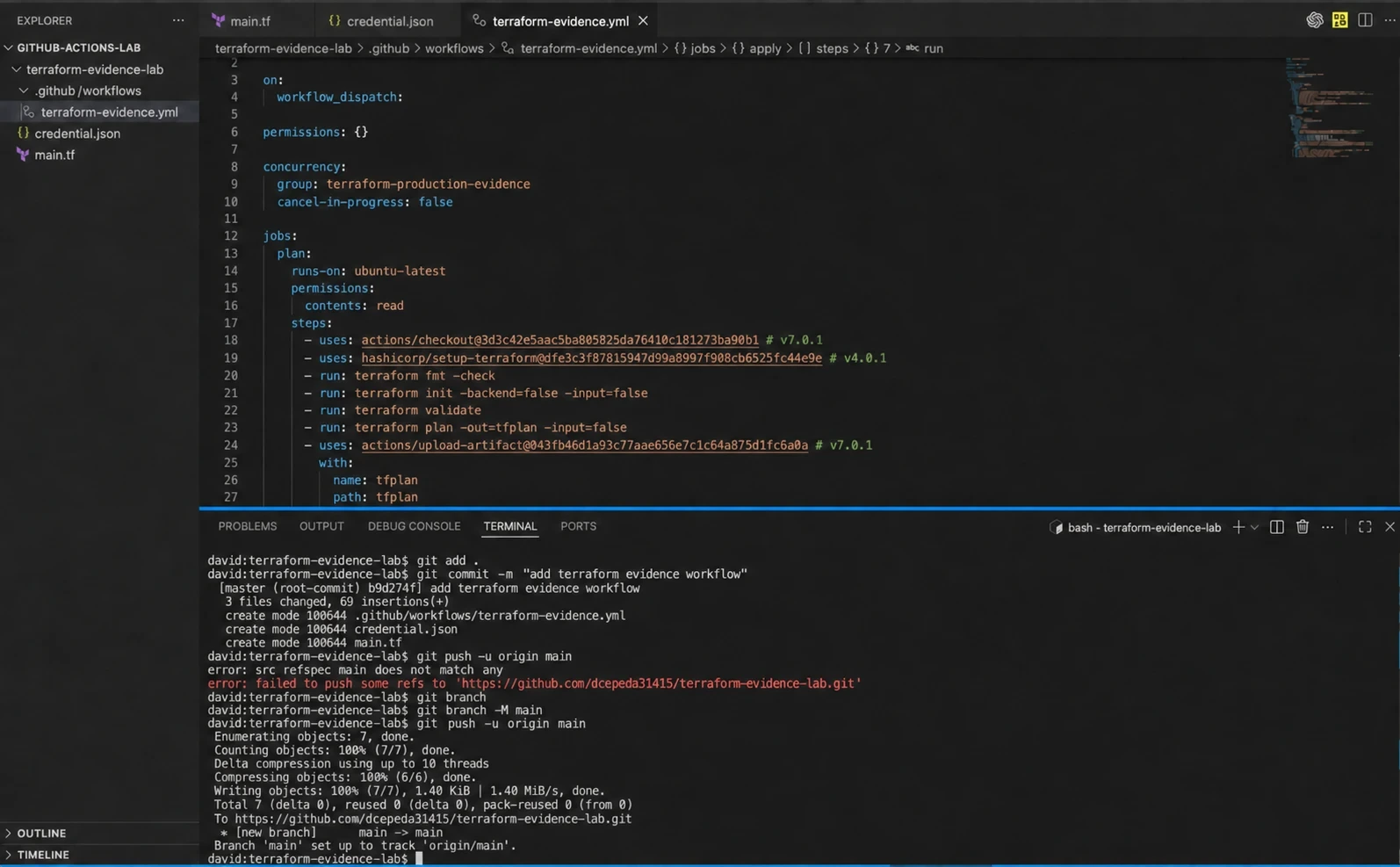
Pinned GitHub Actions workflow and corrected push to main
Then I ran the workflow manually from GitHub Actions.
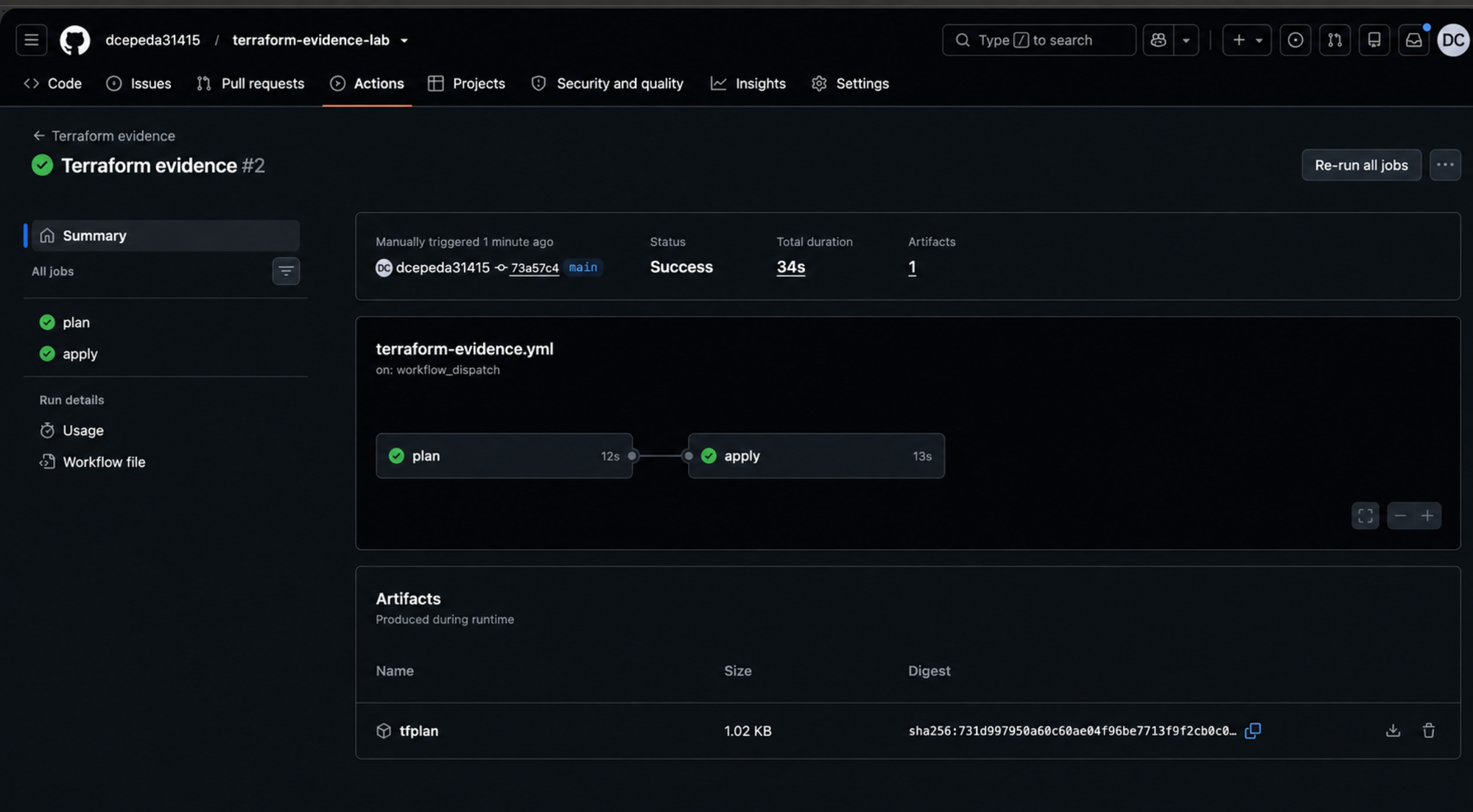
Run number 2 succeeded. Both the plan and apply jobs passed in 34 seconds, and GitHub kept the saved plan artifact.
Successful plan and apply workflow with saved tfplan artifact
15. What this test actually proves
The run proves that my setup:
formatted the Terraform configuration
initialized Terraform
validated the configuration
created a saved plan
passed the saved plan into another job
authenticated to Azure with GitHub OIDC
applied the saved plan
verified the Terraform output
It does not prove:
GitHub environment approval was enforced
a second overlapping run was queued
a real Azure workload remained available
rolling replacement worked
health probes protected traffic
rollback worked
zero downtime occurred
The production-evidence environment showed No restriction during this run.
A fuller production test would need a protected environment, deliberately overlapping runs, and a throwaway workload whose uptime can be checked on its own.
If OIDC login fails, compare the federated credential subject exactly with the workflow context:
repo:dcepeda31415/terraform-evidence-lab:environment:production-evidence
Owner, repo, environment name, and capitalization all have to match.
16. Cleaning up
I removed the role assignment, resource group, federated credential, service principal, app registration, and local credential file:
az role assignment delete   --assignee-object-id "$TF_GITHUB_SP_OBJECT_ID"   --scope "$TF_GITHUB_SCOPE"   --role Reader

az group delete   --name rg-github-terraform-evidence   --yes   --no-wait

az ad app federated-credential delete   --id "$TF_GITHUB_APP_OBJECT_ID"   --federated-credential-id github-production-evidence

az ad sp delete --id "$TF_GITHUB_APP_ID"
az ad app delete --id "$TF_GITHUB_APP_ID"
rm -f credential.json
Then the GitHub environment variables:
gh variable delete AZURE_CLIENT_ID   --repo "$TF_GITHUB_REPO"   --env "$TF_GITHUB_ENVIRONMENT"

gh variable delete AZURE_TENANT_ID   --repo "$TF_GITHUB_REPO"   --env "$TF_GITHUB_ENVIRONMENT"

gh variable delete AZURE_SUBSCRIPTION_ID   --repo "$TF_GITHUB_REPO"   --env "$TF_GITHUB_ENVIRONMENT"

az group wait   --name rg-github-terraform-evidence   --deleted
Once you’ve saved any evidence you need, delete the throwaway GitHub environment and repo.
17. What “zero downtime” really takes
A guarded Terraform pipeline removes avoidable delivery risks. It can’t guarantee uptime on its own.
A more honest production claim is:
The pipeline deploys only through controls designed to reduce deployment risk,
while the workload architecture is independently designed and tested to remain available.
Test that design under failure.
For example, remove an instance mid-update, make a health check fail, or run out of staging capacity. Then confirm the release stops before bad infrastructure gets user traffic.
The strongest evidence combines:
pipeline controls
+ platform health
+ synthetic user checks
+ metrics
+ logs
+ failure testing
+ a verified rollback path
Wrapping up
A production Terraform pipeline is a set of controls, not just a YAML file.
GitHub Actions can run a safe release path. It limits identity with OIDC, runs production work one at a time, applies the exact reviewed plan, and checks things after deployment. Terraform defines lifecycle behavior and keeps changes reproducible.
The rest is on the workload design. Real uptime depends on rolling-friendly infrastructure, health-based routing, enough capacity, backward-compatible data changes, and a tested rollback plan.
My test was narrower on purpose. It proves saved-plan delivery and Azure OIDC login without claiming more than a terraform_data test can show.