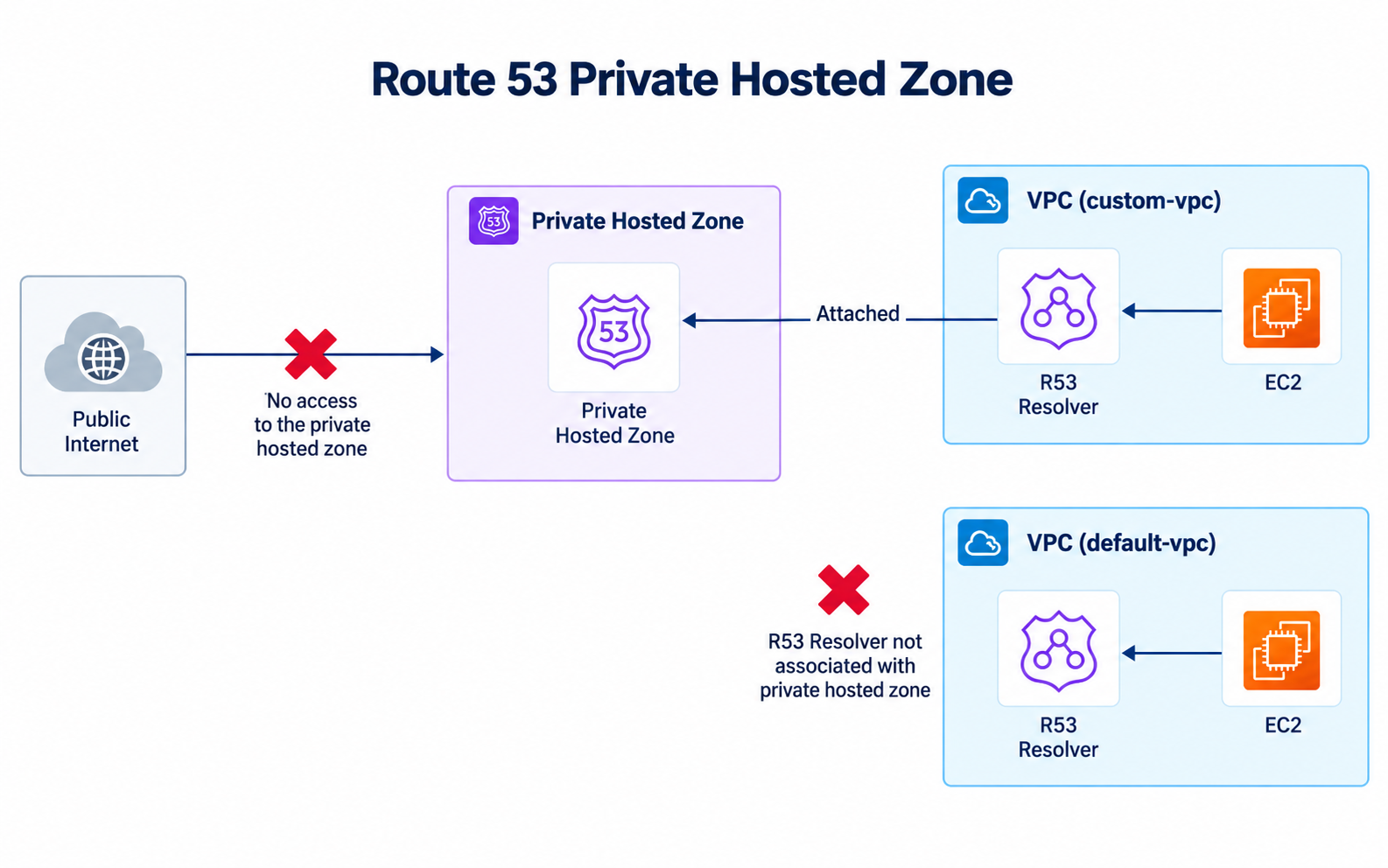
I tested the boundary a Route 53 private hosted zone creates. I launched an EC2 instance in each of two VPCs. I linked only one VPC to the hosted zone. Then I compared DNS lookups from both instances.
Only the custom VPC is associated with the Route 53 private hosted zone.
These screenshots are from an older AWS console, so the layout may look different now. The VPC association behavior is what matters.
How a private hosted zone works
A public hosted zone publishes records to public DNS. A private hosted zone only answers inside the VPCs linked to it. The domain doesn’t need to be publicly registered for an internal test like this.
My setup:
- One EC2 instance in the default VPC
- One EC2 instance in a custom VPC
- One Route 53 private hosted zone
- An association between the hosted zone and only the custom VPC
- An A record that both instances attempted to resolve
What I expected:
Default VPC instance -> not associated -> lookup fails

Custom VPC instance  -> associated     -> lookup succeeds
The VPC also needs DNS resolution turned on. DNS hostnames help when instances need AWS-provided hostnames. enableDnsSupport is the one that lets queries go through the Amazon-provided resolver.
1. Launching the test instances
I launched two Amazon Linux instances. One went in the default VPC and the other in a custom VPC.
I used public connectivity and SSH to manage them. Today I’d limit SSH to my IP or use Session Manager so the instances don’t need inbound SSH at all.
2. Creating the private hosted zone
In Route 53 I started a new hosted zone with the internal domain davidinsider-test.com. I picked Private hosted zone instead of Public hosted zone.
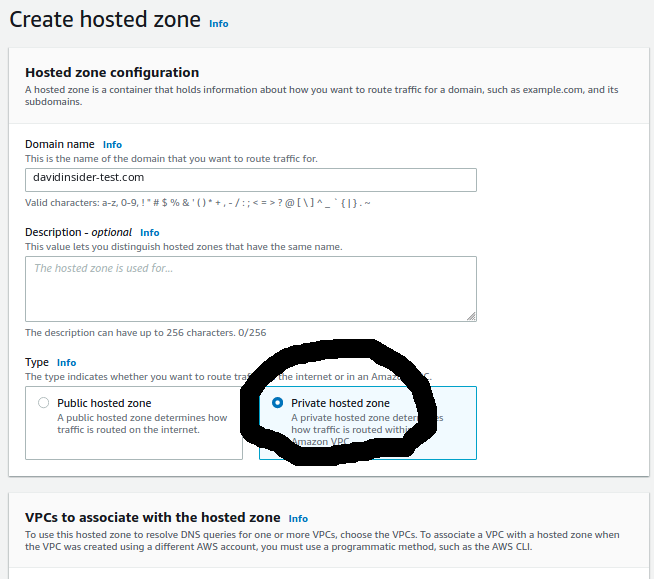
Creating the private hosted zone for the internal test domain.
In the association section I picked the custom VPC. I left the default VPC off on purpose so I’d have a negative test.
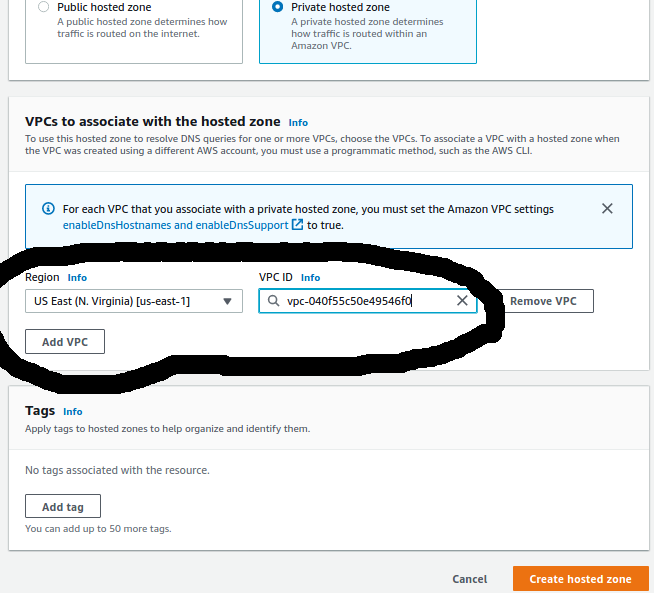
Associating only the custom VPC with the private hosted zone.
The association decides where Route 53 Resolver will answer for this private namespace. It doesn’t create any network connection between VPCs.
3. Adding the record
Next I added an A record. I made it an alias to an S3 website endpoint.
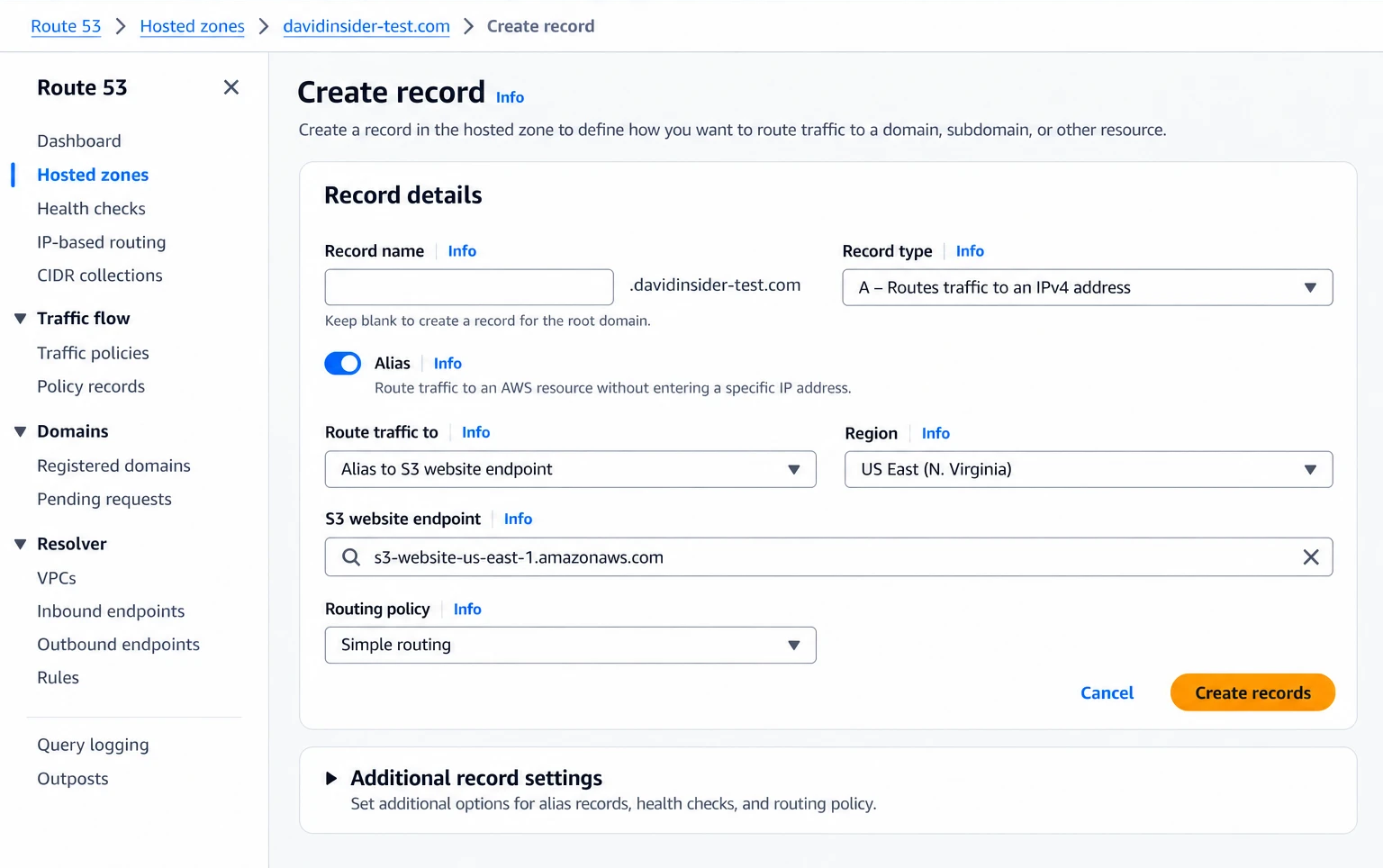
Creating the A alias record inside the private hosted zone.
The target didn’t really matter here. I just needed a record that gave a clear DNS result. You could just as easily point it at an internal load balancer or a private IP.
4. Testing from the unlinked VPC
I connected to the instance in the default VPC and looked up the private name with ping:
ping davidinsider-test.com
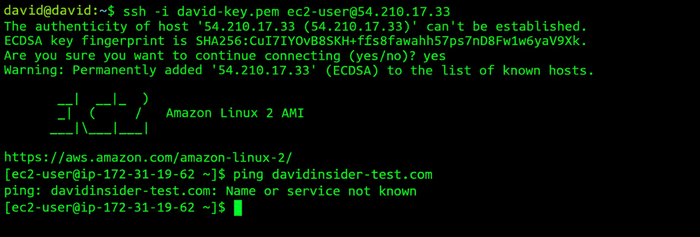
The private name does not resolve from the unassociated default VPC.
It returned Name or service not known. That’s what I expected. A private record isn’t visible to every VPC in the account.
For real DNS troubleshooting I’d use a tool that separates name lookup from network reachability:
dig davidinsider-test.com
nslookup davidinsider-test.com
ping shows whether a name resolved. But a host can resolve fine and still ignore ICMP.
5. Testing from the linked VPC
I connected to the instance in the custom VPC and ran the same thing.
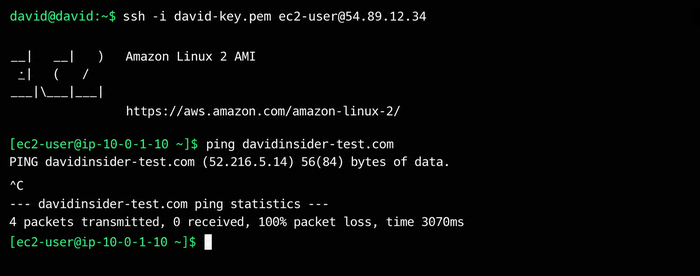
The same private name resolves successfully from the associated custom VPC.
This time Route 53 Resolver returned the record. The private namespace was visible from the linked VPC and hidden from the other one.
What I learned
Here’s the key idea:
Route 53 private hosted zone
        |
        +-- Associated VPC   -> private records resolve
        |
        +-- Unassociated VPC -> private records do not resolve
Private hosted zones are useful when apps need stable DNS names that stay inside certain network boundaries. You can link several VPCs to the same zone. That includes VPCs in other accounts, with the right authorization.
For bigger designs, like DNS shared across many VPCs or with an on-prem network, I’d add Route 53 Resolver inbound or outbound endpoints and forwarding rules. Here I kept it to the basic zone-to-VPC link on purpose.
Cleanup
When I finished, I deleted the instances, the hosted zone, the records, and any networking or target resources I made. Hosted zones and EC2 instances cost money if you leave them around.