Selecting a Windows Server edition during an in-place upgrade

Upgrading a Windows Server VM In Place on Azure

Upgrading a Windows Server VM In Place on Azure I upgraded an existing Windows Server VM in Azure without rebuilding it. An in-place upgrade swaps out the OS but keeps the VM’s roles, apps, config, and data. I took Windows Server 2012 R2 to Windows Server 2019. Supported paths, Azure requirements, and upgrade media images change over time. Check current Microsoft docs before doing this on another server. My upgrade plan I broke the work into four phases: ...
6 min · 1176 words
AWS Application Migration Service

Migrating a Linux Web Server to AWS with AWS MGN

Migrating a Linux Web Server to AWS with AWS MGN I wanted to do a full server migration, not just draw a diagram or half-configure a demo. I took a working Linux web server and replicated it into AWS with Application Migration Service (AWS MGN). Then I tested the AWS copy, did the cutover, and cleaned up. This is a plain lift-and-shift. I didn’t rebuild the app or change its architecture. I just wanted to prove the same workload could run on a new EC2 instance after MGN copied it. ...

8 min · 1507 words
Active Directory network diagram

Building an Active Directory Environment with Windows Server and Windows 10

Building an Active Directory Environment with Windows Server and Windows 10 I built a small Windows domain from scratch with VirtualBox, Windows Server 2019, and a Windows 10 client. The server became the domain controller. It also handled DNS, DHCP, and routing for the internal network. After that I created Active Directory users and built the Windows 10 client. Then I joined the client to the domain and signed in as a domain user. ...

13 min · 2658 words
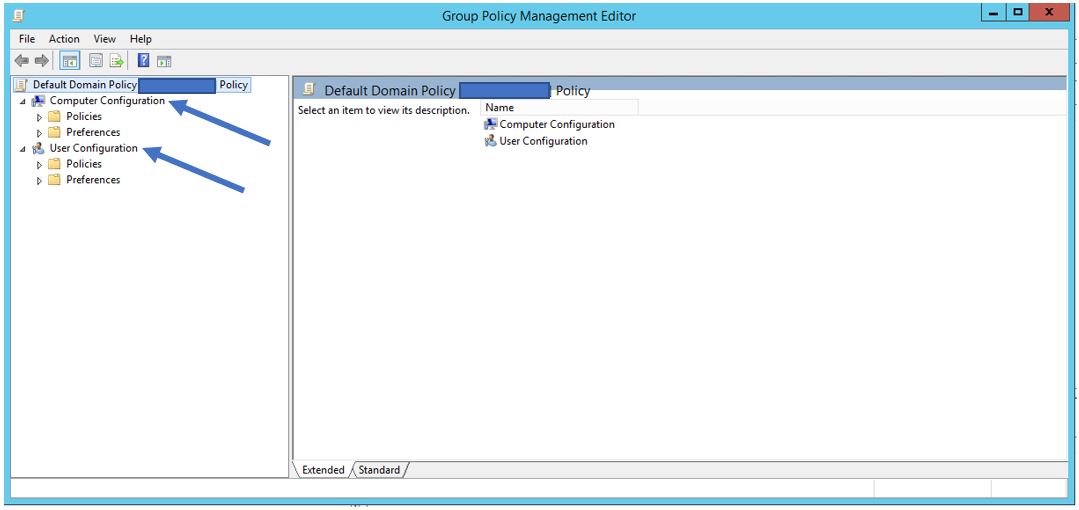
Group Policy Management Editor in Active Directory

Configuring Legacy Microsoft LAPS in Active Directory

Configuring Legacy Microsoft LAPS in Active Directory Using the same local admin password on every workstation is a real security problem. If it leaks on one machine, an attacker can use it to move across the rest of the network. I fixed that with Microsoft Local Administrator Password Solution (LAPS). Each domain-joined computer gets its own managed local admin password. The password lives in Active Directory, and only certain people can read it. ...

6 min · 1262 words
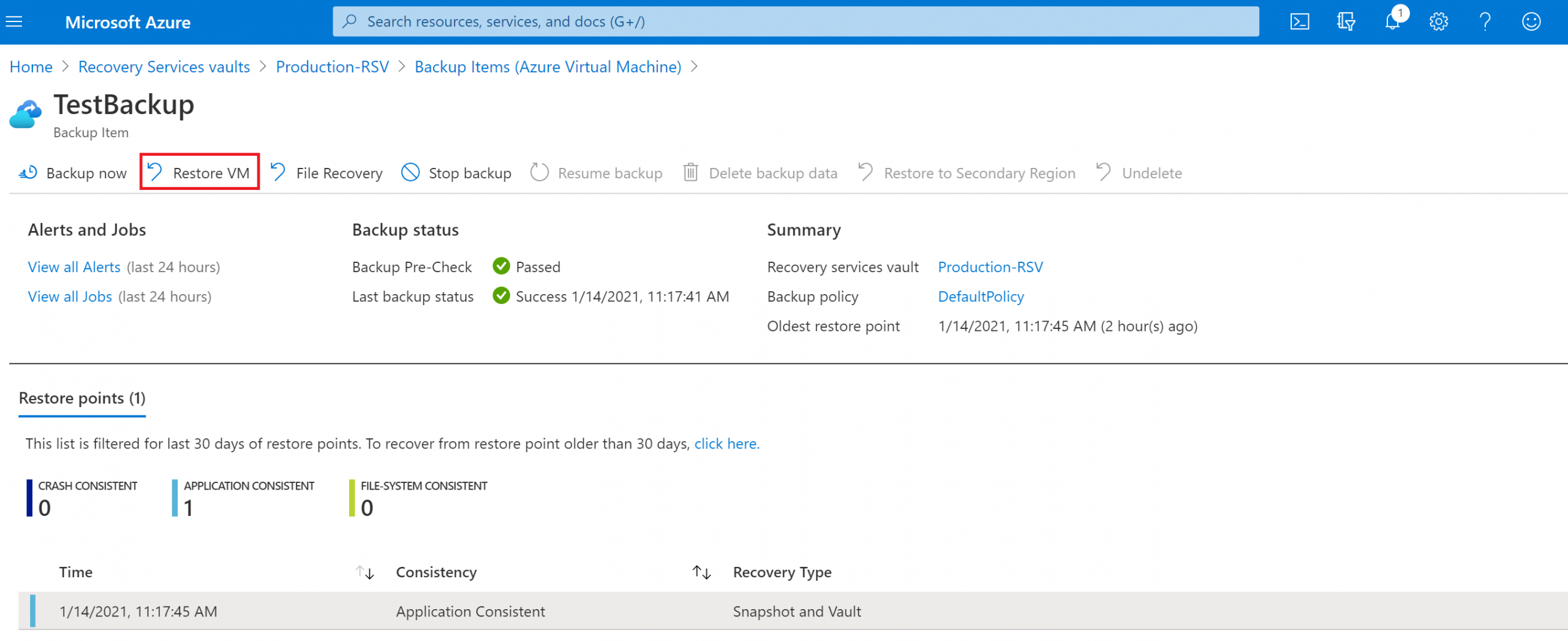
Restoring an Azure virtual machine from Azure Backup

Protecting and Recovering Azure Virtual Machines with Azure Backup

I protected an Azure VM with Azure Backup and then went through recovery. I created a Recovery Services vault and assigned a backup policy. I took the first recovery point and watched the job. Then I went through the VM restore options. The screenshots are from an older Azure portal. Some labels and layouts have changed. The backup and recovery ideas still hold. Check current Azure Backup requirements and pricing before using these settings in production. ...

6 min · 1079 words
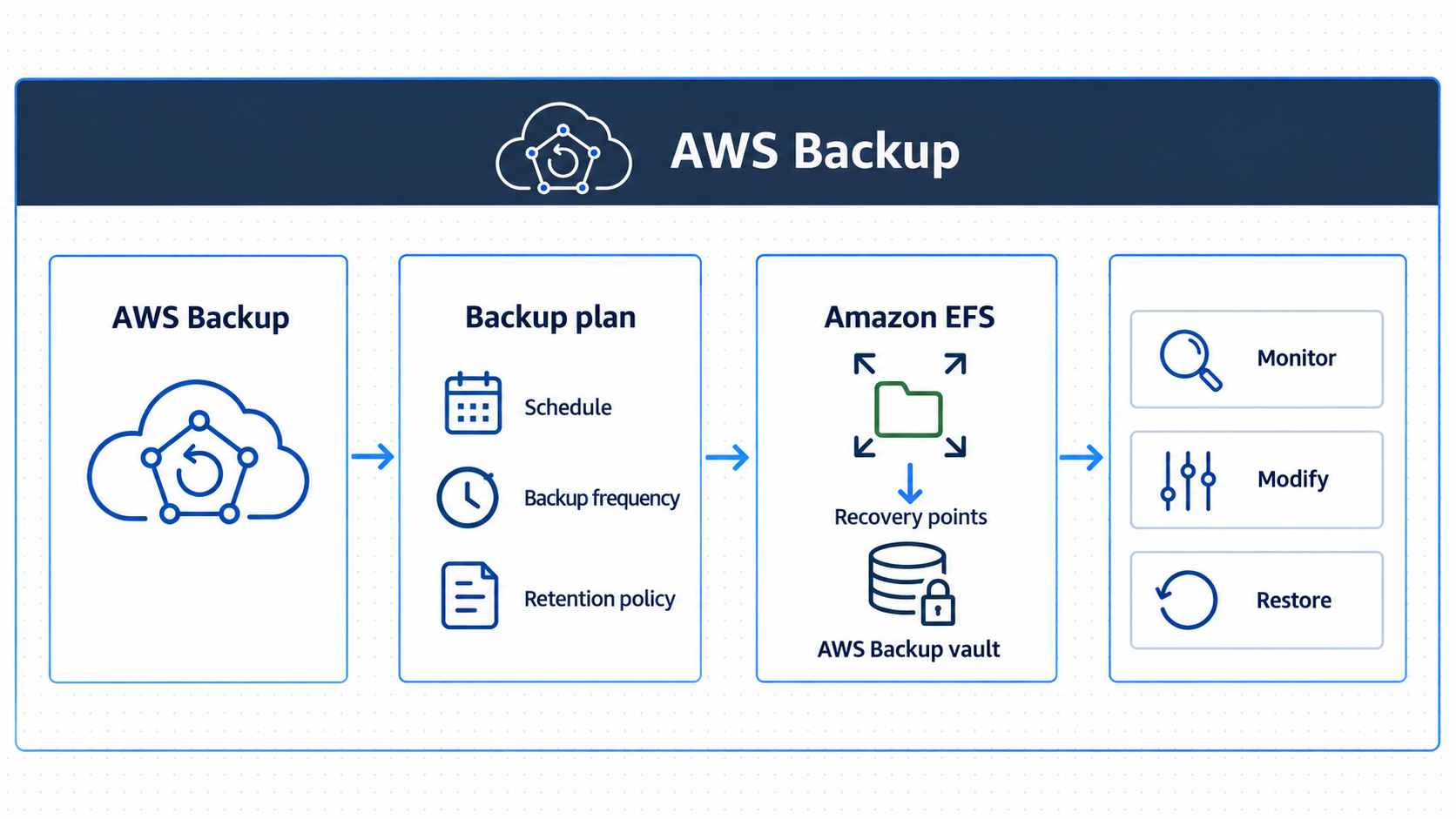
AWS Backup workflow protecting an Amazon EFS file system

Backing Up Amazon EFS and Restoring a Single File with AWS Backup

I used AWS Backup to protect an Amazon Elastic File System (EFS). Then I changed the live data and restored one file from a recovery point. I wanted to prove I could get back a single file without restoring the whole file system. AWS Backup can centrally protect services such as Amazon EFS. These screenshots are from an older AWS console. The steps still work, but labels, quotas, restore behavior, and pricing can change. Check the current AWS docs before using these settings in production. ...

5 min · 895 words
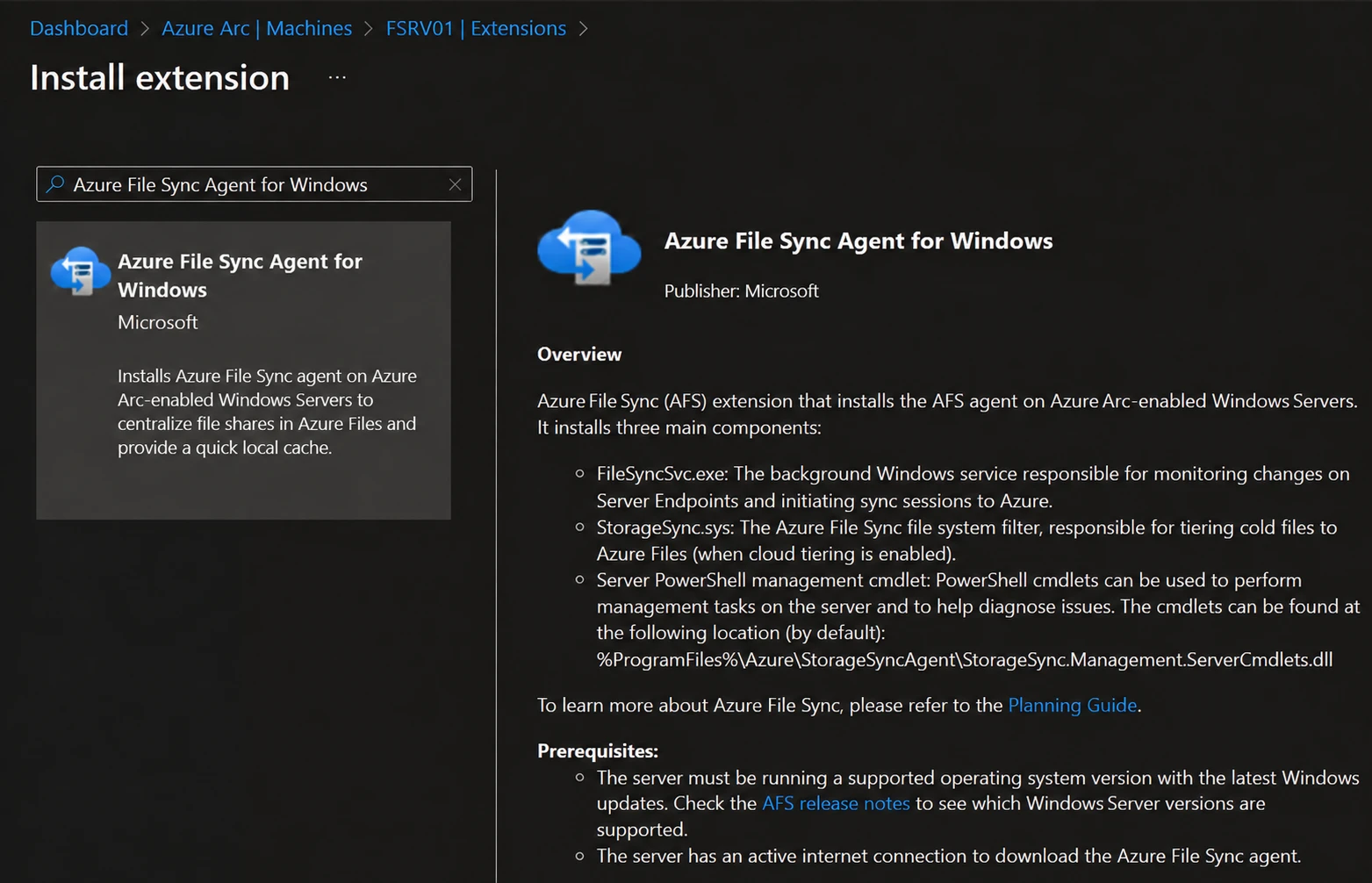
Azure File Sync Agent for Windows

Setting Up Azure File Sync

Setting Up Azure File Sync I set up Azure File Sync so a Windows Server could keep serving a normal local file share while Azure Files held the central copy. I also turned on cloud tiering. With tiering, every file still shows up on the server, but rarely used content can live in Azure. The design is simple: Windows Server local path | | Server endpoint v Sync group | | Cloud endpoint v Azure file share Azure services and supported OS versions change. Before you try this, check Microsoft’s current Azure File Sync planning guide and agent release notes. Don’t rely on an old compatibility list or download link. ...

5 min · 927 words
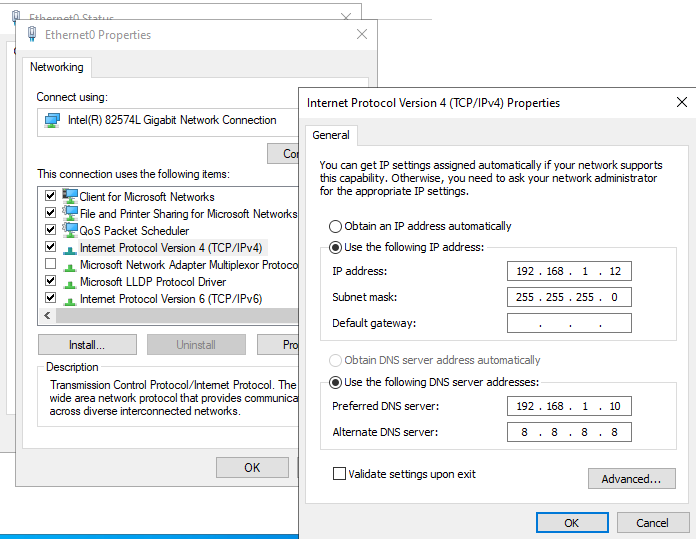
Second domain controller network settings in VMware Workstation

Active Directory Replication and Disaster Recovery with a Second Domain Controller

I added a second domain controller to my Active Directory lab and tested replication. Then I backed it up, deleted the VM on purpose, and restored it onto a brand new one. This builds on my Active Directory lab. I use the same domain, the same first domain controller, and the same Windows 11 client. Everything runs in VMware Workstation Pro 17. Here is what I did: Built a second Windows Server 2022 domain controller Fixed DNS so both DCs and the client can see each other Tested replication in both directions with repadmin Looked at the FSMO roles Shut down a DC and checked that the domain kept working Backed up a DC with Windows Server Backup Deleted that DC and restored it from the backup on a new VM Checked for a USN rollback If AD goes down, everyone is stuck. That’s why a single domain controller makes me nervous. ...

11 min · 2326 words
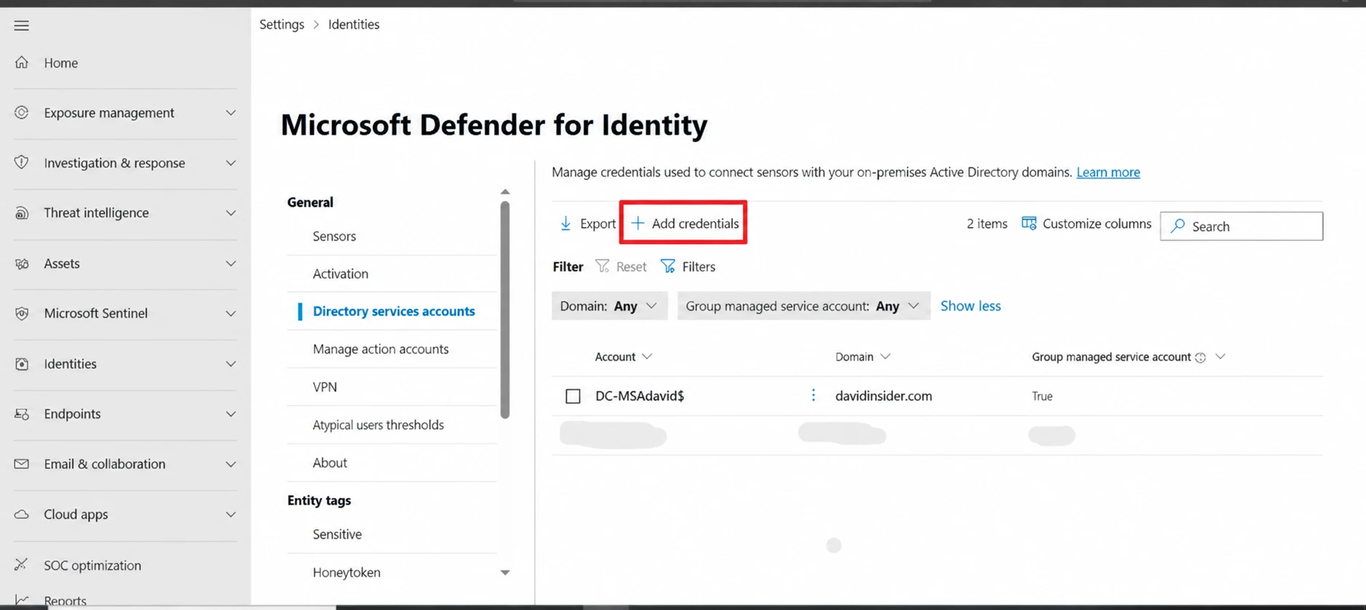
Creating the gMSA for the Defender for Identity sensor

Deploying Microsoft Defender for Identity on Domain Controllers

This is part 3 of my hybrid security setup. I already deployed Defender for Endpoint and onboarded my on-prem machines into the Defender XDR portal. Now I wanted to see into Active Directory. Endpoints are the windows into a network. Identities are the keys. Once an attacker gets the keys they can move around quietly. That’s where Defender for Identity (MDI) comes in. MDI watches domain controllers and looks at authentication patterns. It can detect things like Pass-the-Hash, Pass-the-Ticket, Kerberoasting, and recon. It also feeds the Defender XDR portal, so identity signals sit next to endpoint and cloud activity. ...

4 min · 695 words
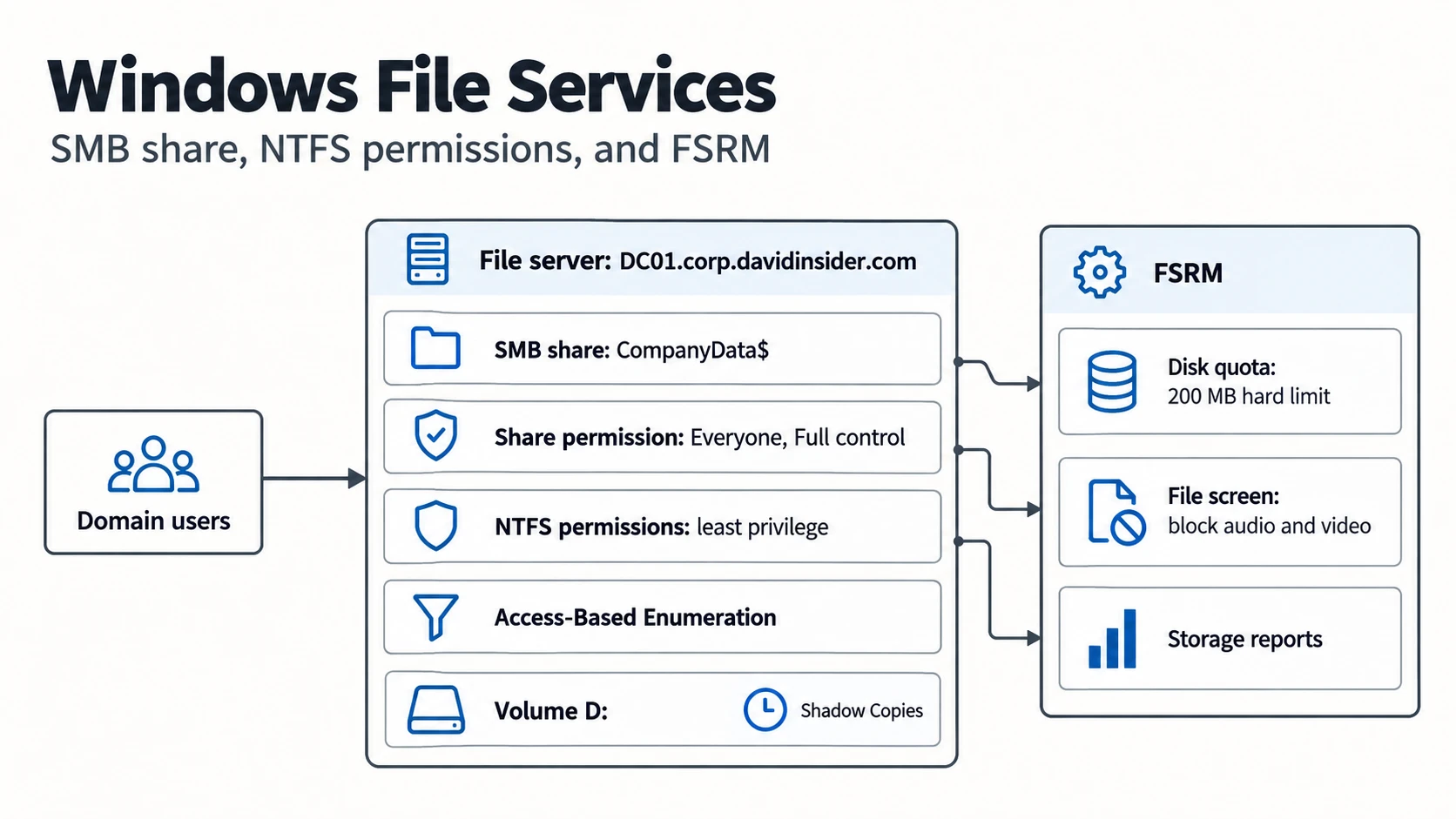
Windows file services overview

Enterprise Windows File Services with SMB, NTFS Permissions, and FSRM

This is part 5 of my Enterprise Windows lab. In the last part I used Group Policy to manage users, computers, and security settings in the domain. Now I wanted a central place for users to store and share files. I set up an SMB file share and applied Share and NTFS permissions. Then I turned on Access-Based Enumeration and Shadow Copies. Last, I used File Server Resource Manager (FSRM) for quotas, file screening, and reports. ...

3 min · 438 words